
Steps
1
Click Select links
Choose Select links on the Scan page to enter link selection mode on the web page.
2
Pick the links
Select the entry links you need. Use Select similar to pick links with the same style in a list.
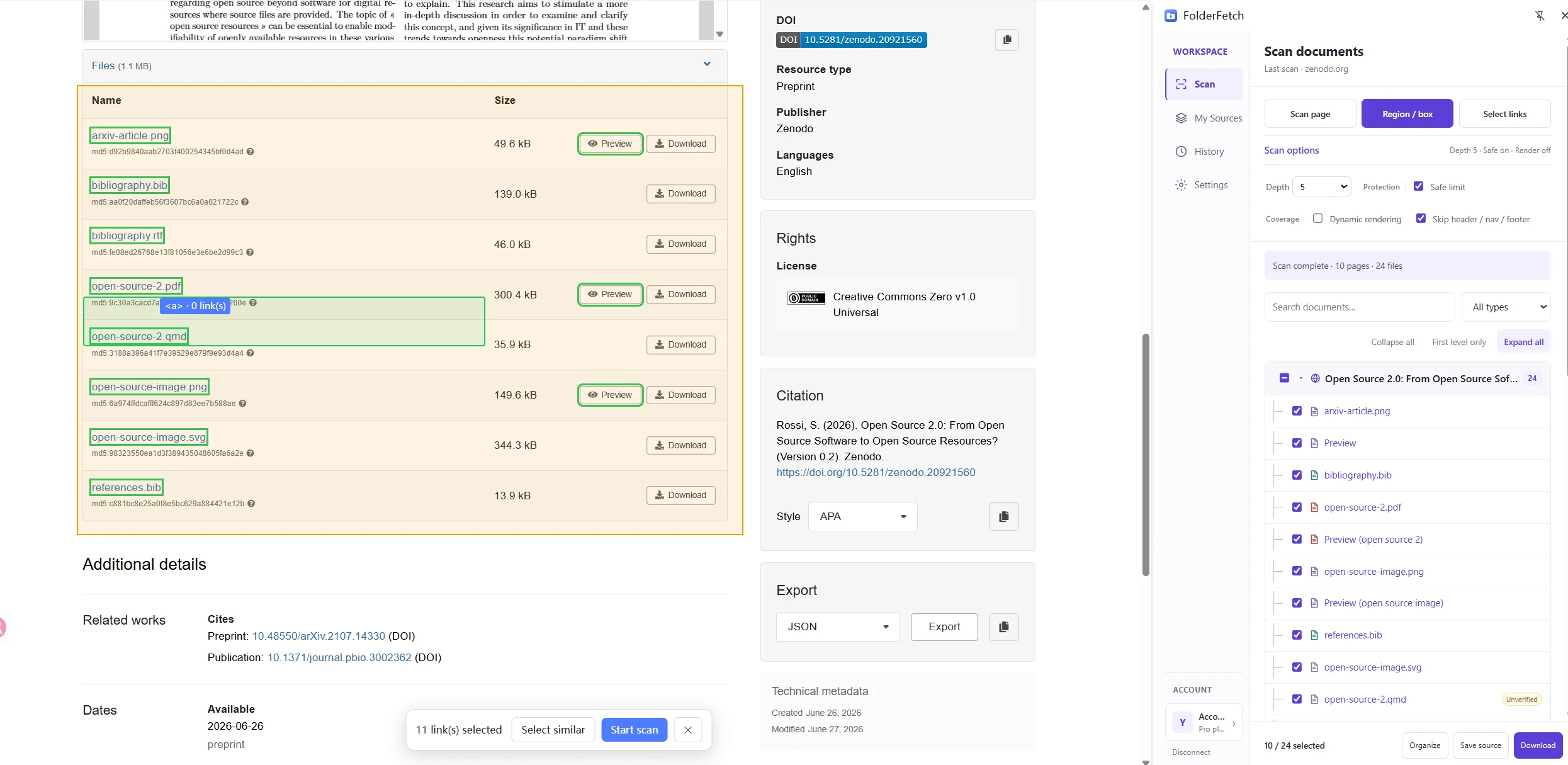
3
Start the scan
Review your selection and click Start scan in the floating page toolbar. After the scan, filter and download from the resource tree.