
10
pages visited
24
candidate entries
17
task items marked successful
7
failed items
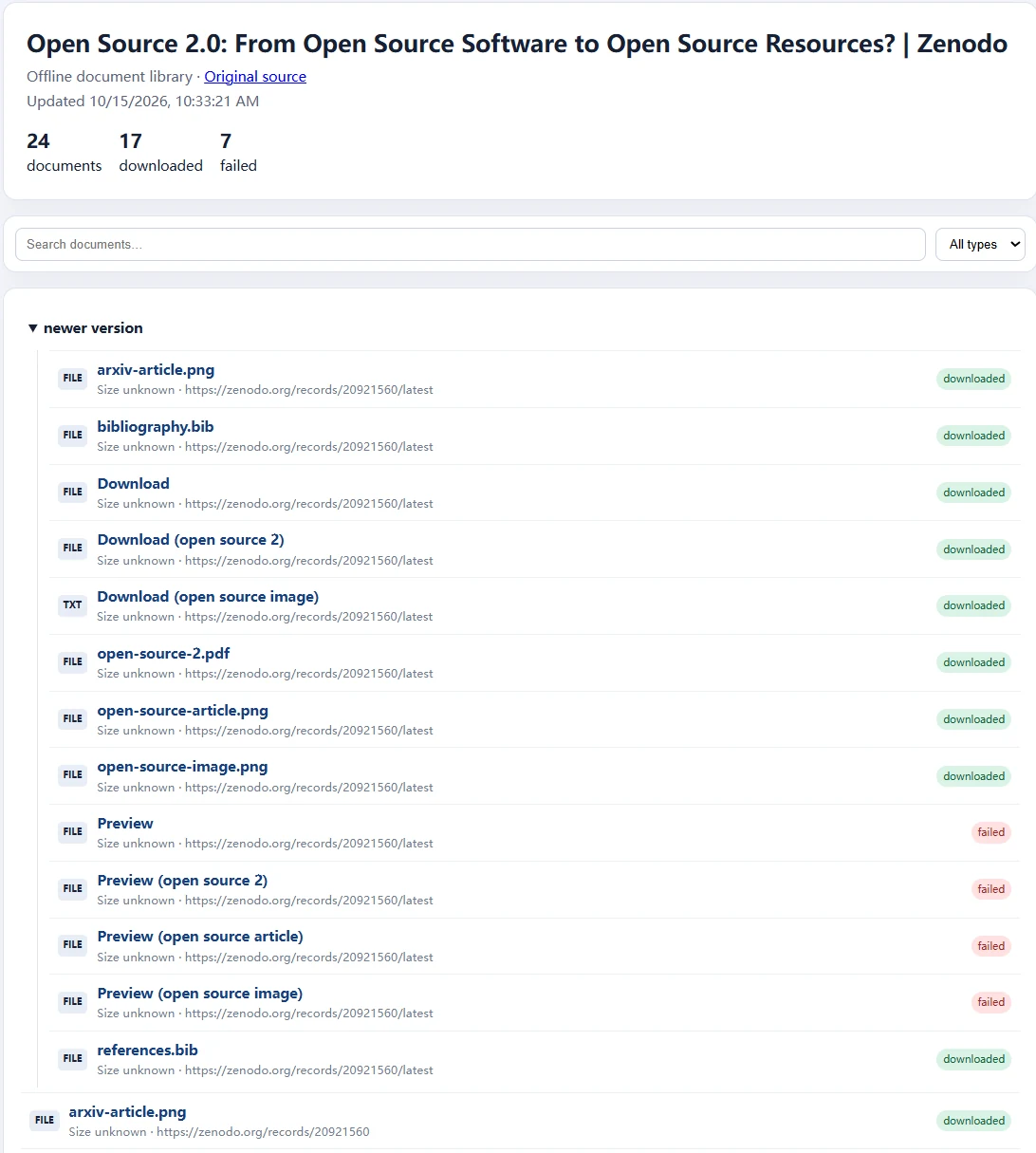
The completion screen also reported 0 skipped. These are results of one recorded run, not separate results for each scan mode.
Observation 01
Start with a bounded source
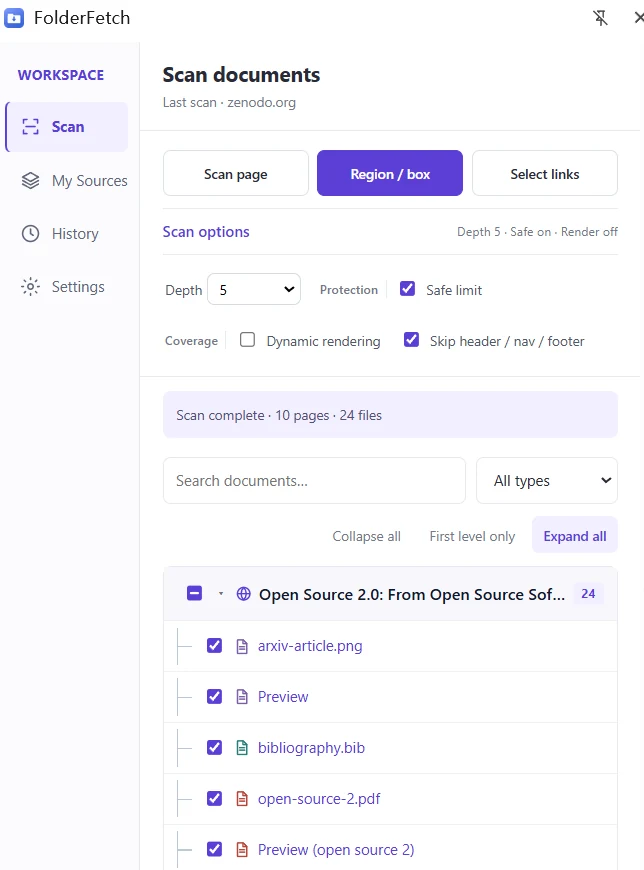
The source was version 0.2 of Simon Rossi’s “Open Source 2.0” record on Zenodo. Its Files section listed eight direct files, including a PDF, bibliography files, an editable source file, and images.
The captured FolderFetch panel showed Depth 5, Safe limit on, Dynamic rendering off, and Skip header / nav / footer on. A later screenshot showed 10 pages visited and 24 result entries. The 24 entries include preview and newer-version paths; they are not 24 distinct files published in the record.
Observation 02
Explore the available scan entrances
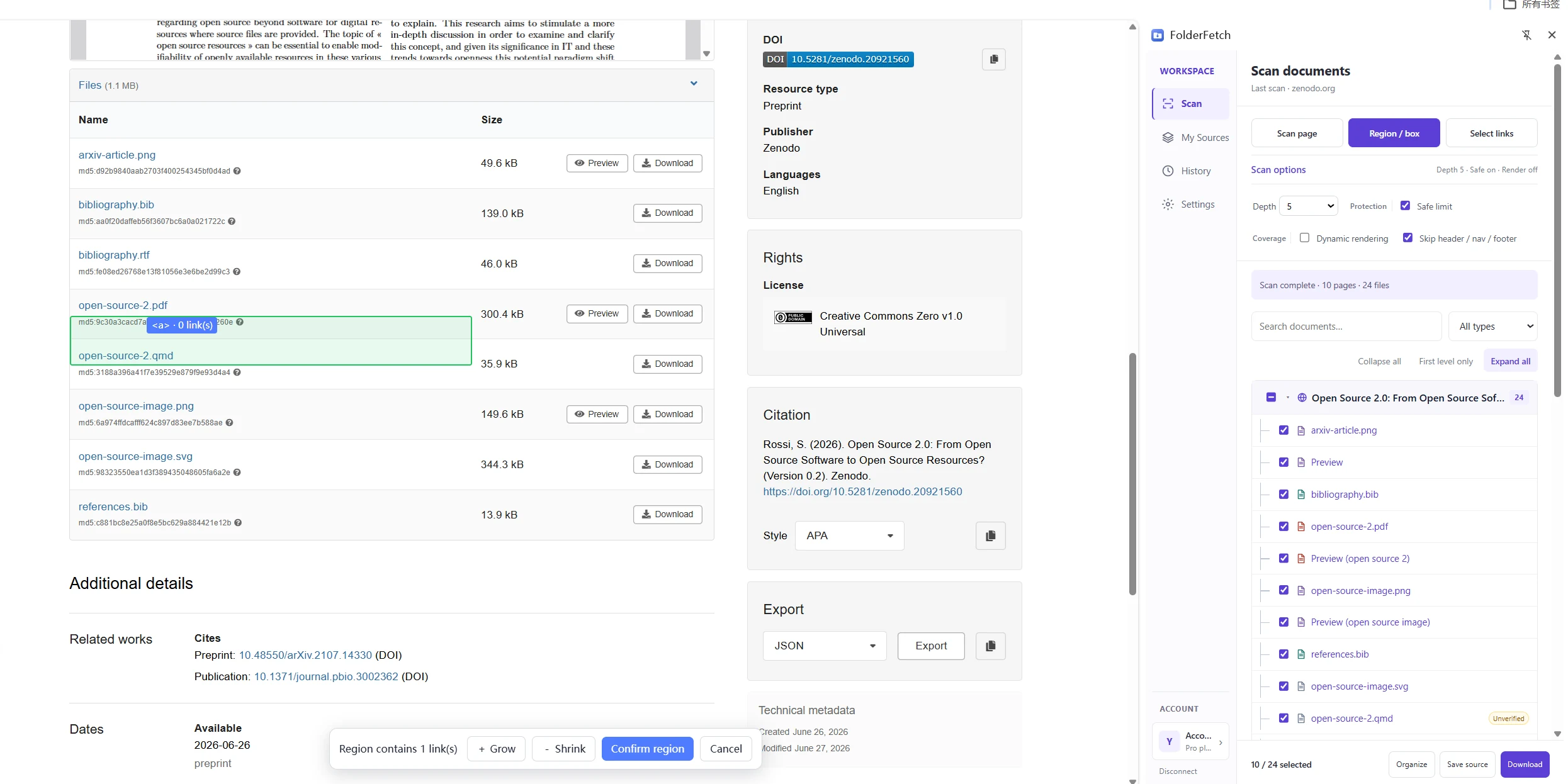
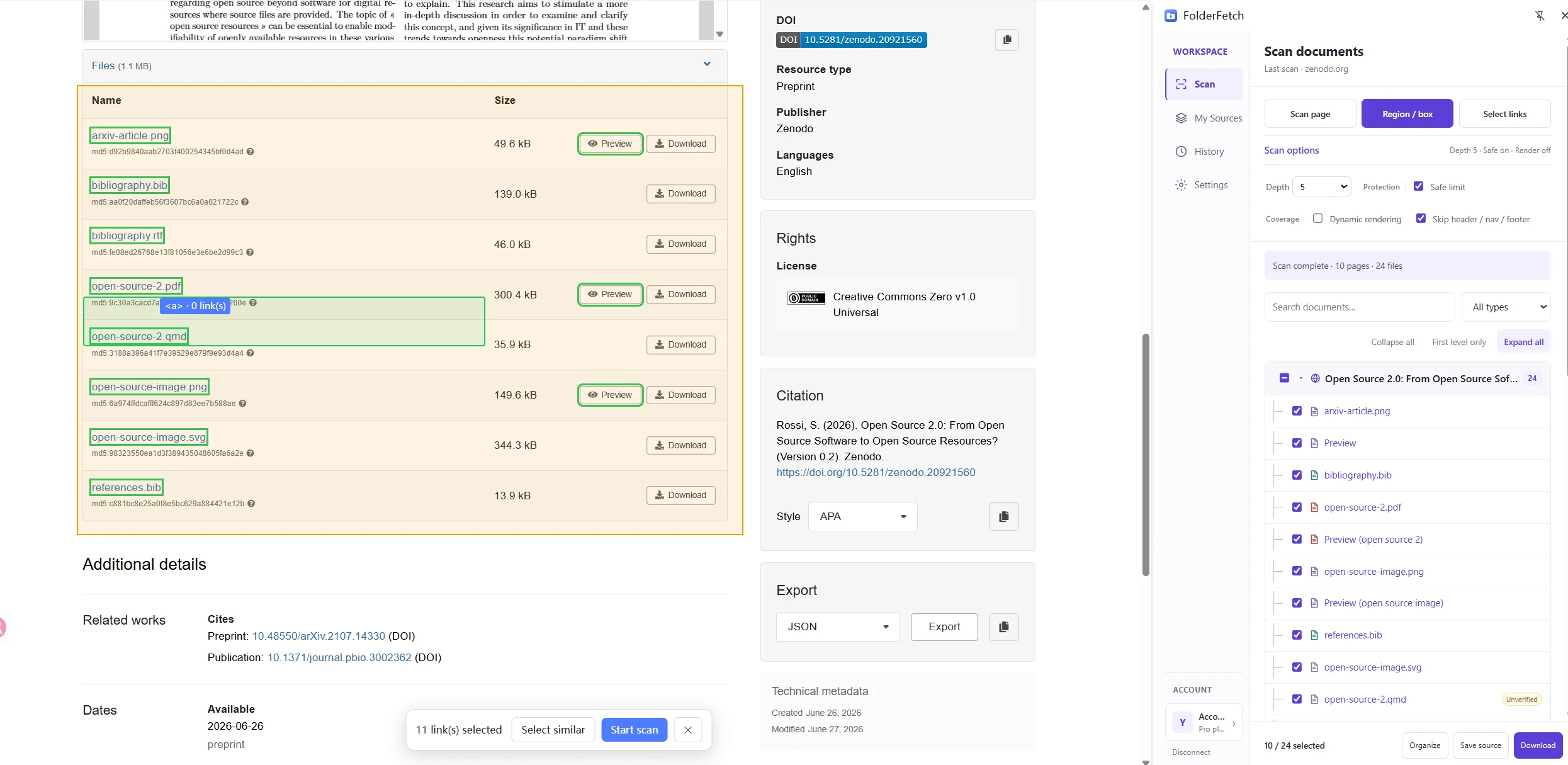
Use Scan page for the current page, Region / box for a specific area, or Select links for individual entrances. In this session, a region selection contained one link and a Select links interaction showed 11 selected links before Start scan.
Review the highlighted links before starting. A selection can include both direct files and preview pages. The download results below belong to the recorded 24-entry batch; the one-link and 11-link screenshots document entrance selection only.
Observation 03
Separate direct files from previews and uncertain links
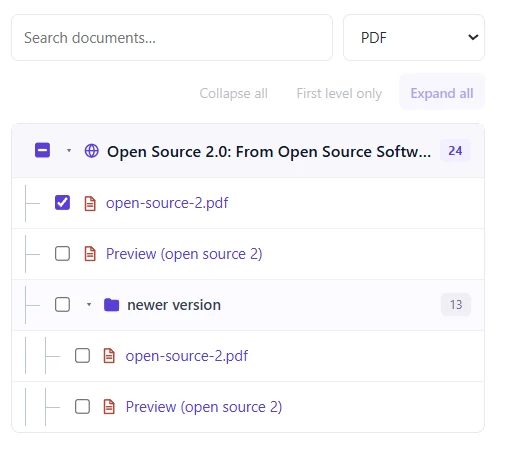
The PDF filter displayed the named open-source-2.pdf alongside Preview entries in the current and newer-version groups. Four visible PDF-filter rows do not establish four distinct PDF files. The source record itself listed one PDF for version 0.2.
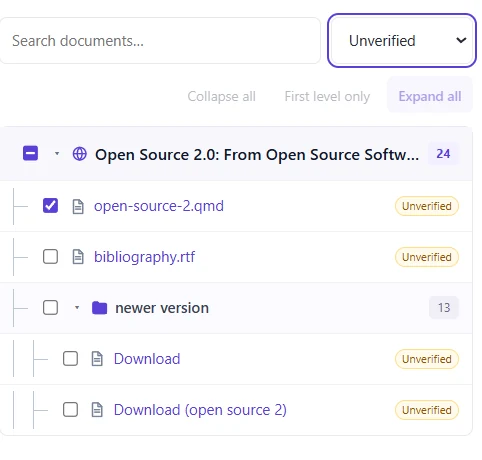
The Unverified filter showed four candidates. FolderFetch checks the returned content during download, so an unverified candidate can still fail. Reviewing the URL, name, type, and source group prevents a preview page from being counted as a direct document.
Observation 04
Confirm the batch, then read the actual outcome
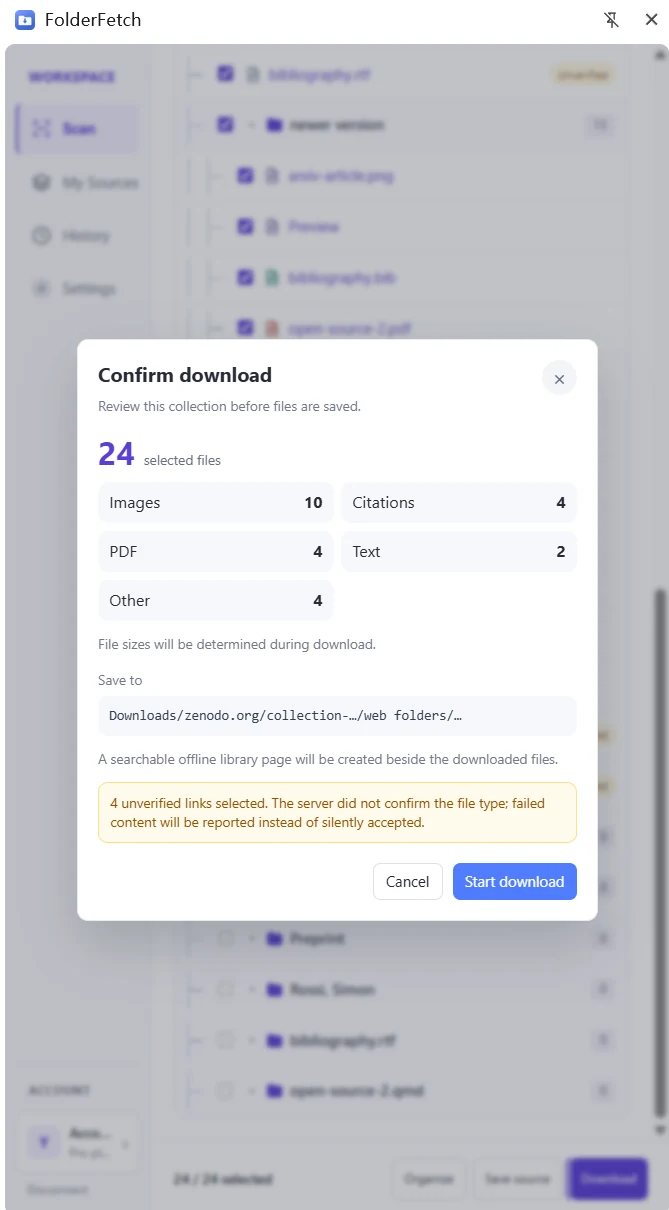
Before starting the recorded download batch, the confirmation dialog showed 24 selected entries, including four unverified links. Review this final list and destination separately from the entrance links used to begin scanning.
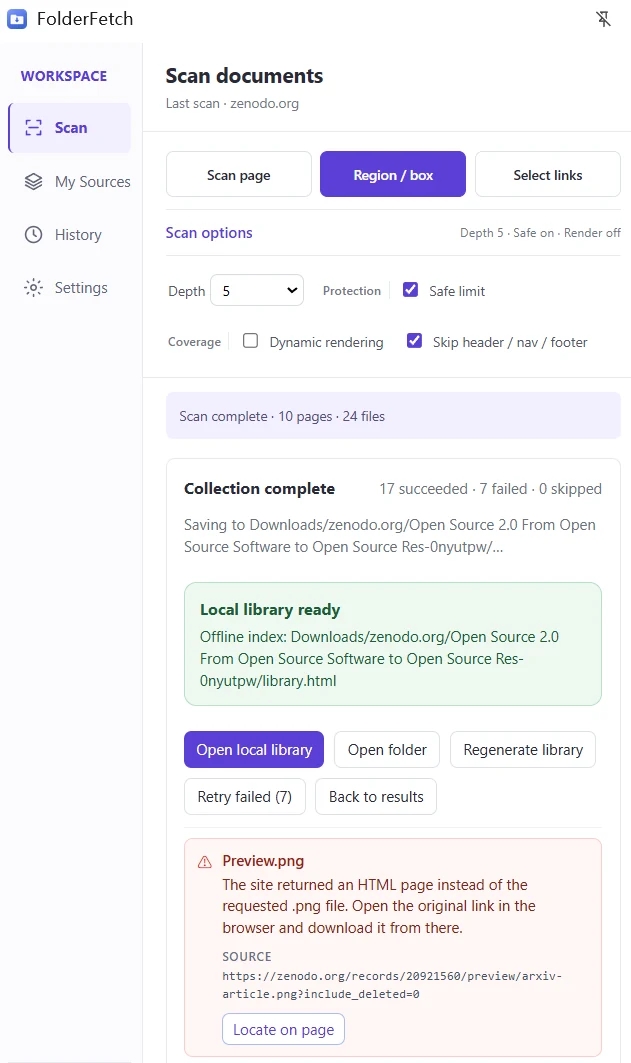
The completion screen reported 17 succeeded, 7 failed, and 0 skipped. One visible failure explains that a Preview link returned an HTML page instead of the requested PNG. The result demonstrates why a candidate count or a clicked Download button cannot be reported as successful files.
Observation 05
Inspect what actually reached the computer
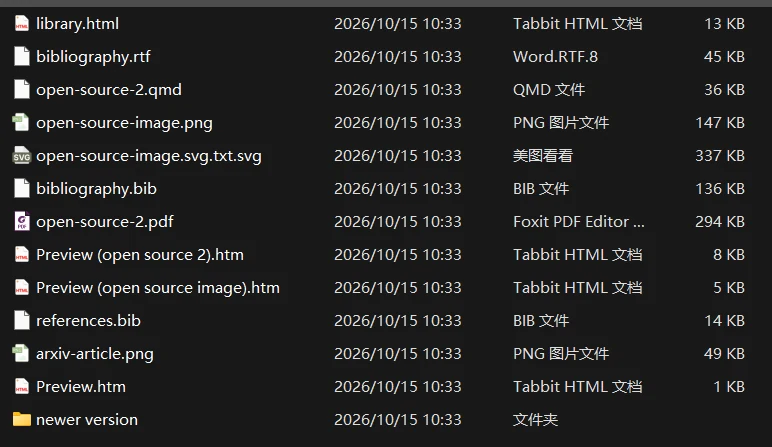
The supplied local-folder screenshot includes open-source-2.pdf, bibliography and image files, generated library.html, and saved HTML preview pages. The offline library shows 24 entries, 17 marked downloaded, and 7 failed.
“17 succeeded” means 17 task entries were saved. It does not mean 17 unique source documents, because the collection includes version paths and HTML previews. For a cleaner repeat, select the direct file links in the Files section and review the tree before downloading. That is a recommended next run, not a measured outcome of this one.
Source and interpretation
The Zenodo record identifies its files as CC0 and names Simon Rossi as creator. Zenodo’s terms say repository hosting is not an endorsement and users remain responsible for respecting each record’s license. This independent FolderFetch demonstration does not imply endorsement by Zenodo or the creator.
Screenshot figures document the user-provided run. File names, counts, classifications, and availability may change when the source record or extension changes.